- Help Center
- Sales
- Sales Performance
Top Locations Dashboard
Below you'll observe how to access and review your Top Locations Dashboard...
- At the top of the Homepage, you'll observe the navigation tabs
- Select Category: Sales
- Select Subcategory: Sales Performance
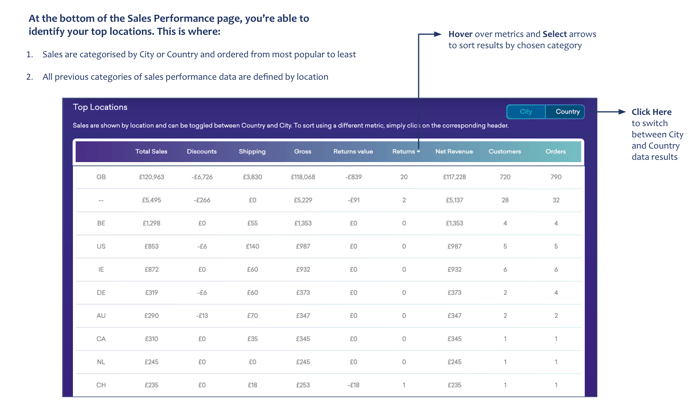
- Scroll to the bottom of the page where you'll find the Top Locations Dashboard
Here you'll observe...
- Sales are categorised by City or Country and ordered from most popular to least
- All previous categories of sales performance data are defined by location