Below you'll observe how to access and review your Single Store Sales Report...
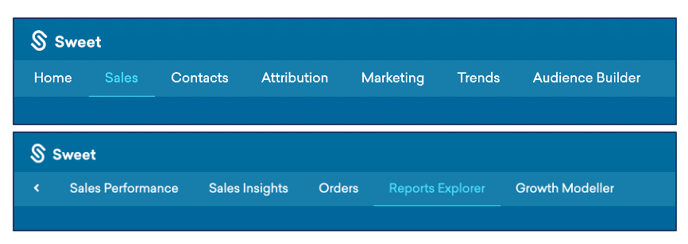
- At the top of the Homepage, you'll observe the navigation tabs
- Select Category: Sales
- Select Subcategory: Reports Explorer
- Within the Reports Explorer, select the Single Store Sales Report

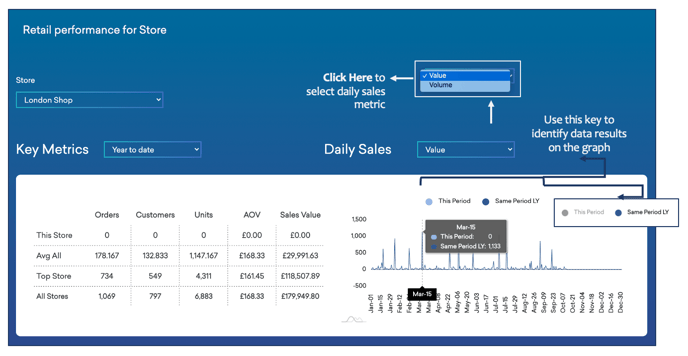
This reports:
- The performance of an individual shop/centre by different metrics and KPIs.
- The top products sold in each location.
As you continue to scroll down the Single Store Sales Report…
You’ll observe:
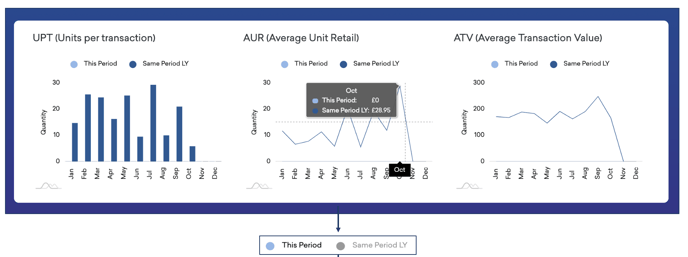
- Graphs displaying your units per transaction, average unit retail, average transaction value results.
- Data comparing the current period to the same period last year.
As you continue to scroll down the Single Store Sales Report…
You’ll observe:
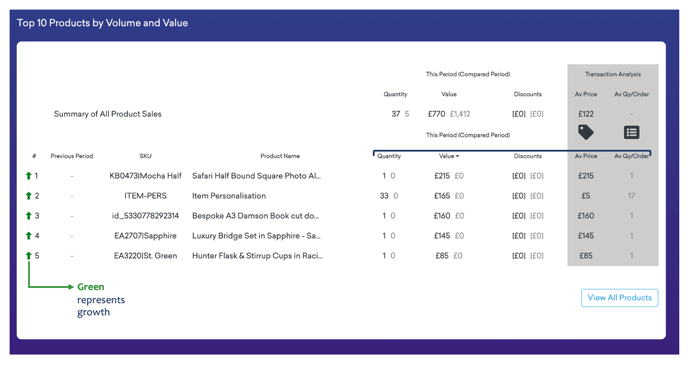
- Your summary of all product sales, categorised by; product name, ranking, quantity, value, discount, average price and average quantity per order.
- All results are generated for current and comparable periods.