Below you'll observe how to access and review your Growth Model Sales Report...
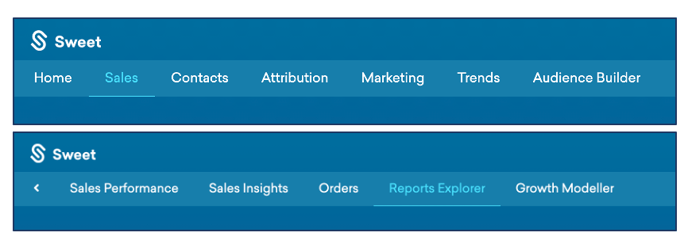
- At the top of the Homepage, you'll observe the navigation tabs
- Select Category: Sales
- Select Subcategory: Reports Explorer
- Within the Reports Explorer, select the GM Sales Report

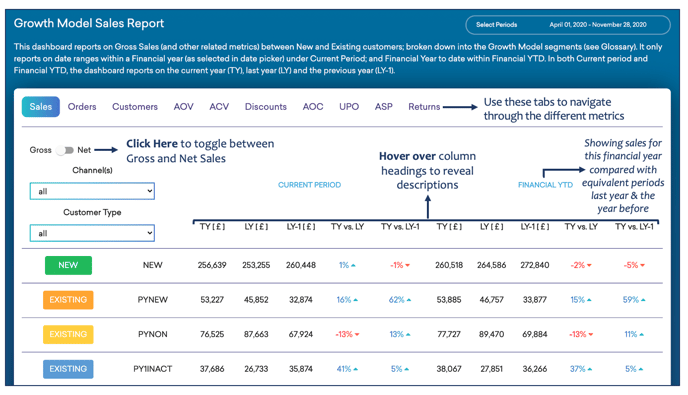
This Reports:
- Sales by the type of customers
- Customers segmented into groups by last purchase within the financial year
As you continue down your Growth Model Sales Report...
You’ll observe:
-
-
- The value of sales – grouped by months or weeks
- Customer activity based on their financial year of acquisition
-
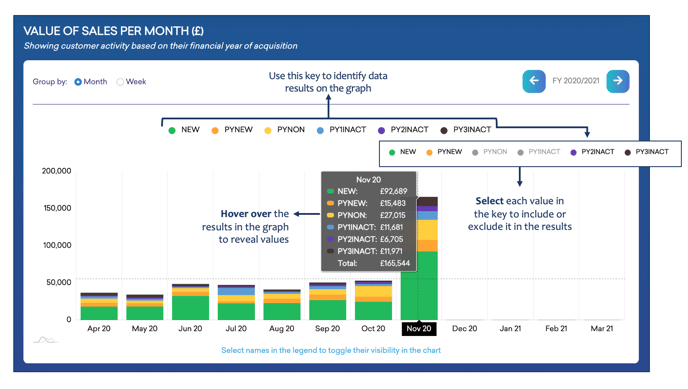
NB. This guide demonstrates the sales tab; however, all other metrics follow the same layout and include the same interactions.
As you continue to scroll down your Growth Model Sales Report…
You’ll observe :
- New & existing sales, year on year as a percentage of total sales
- The percentage of customers based on where they were acquired
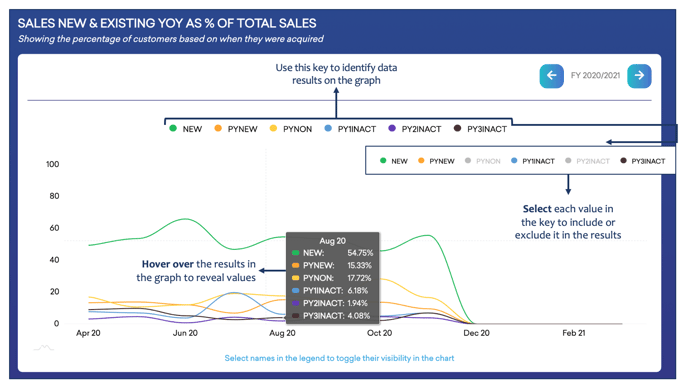
As you continue to scroll down your Growth Model Sales Report…
You’ll observe :
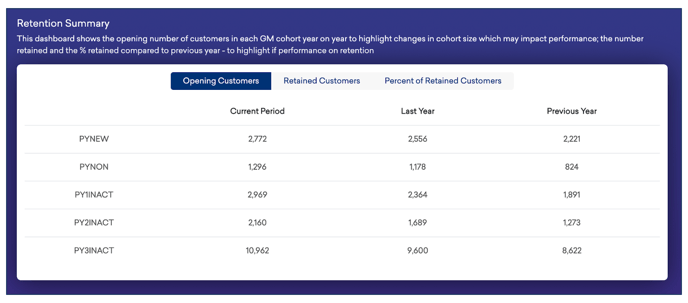
- The opening number of customers in each Growth Model cohort year on year, as well as changes in cohort size and the impact of this on performance.
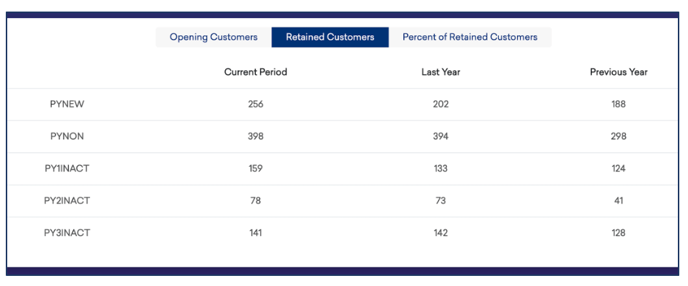
- The number of customers retained
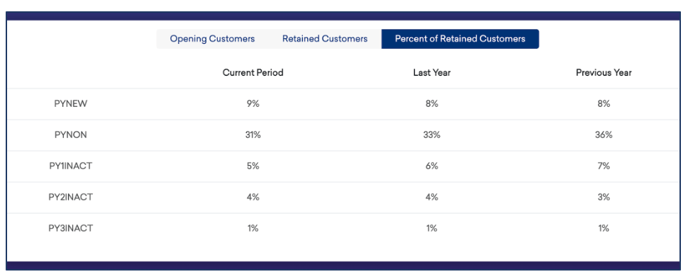
- The percentage of customers retained compared to the previous year
As you continue to scroll down your Growth Model Sales Report…
You’ll observe :
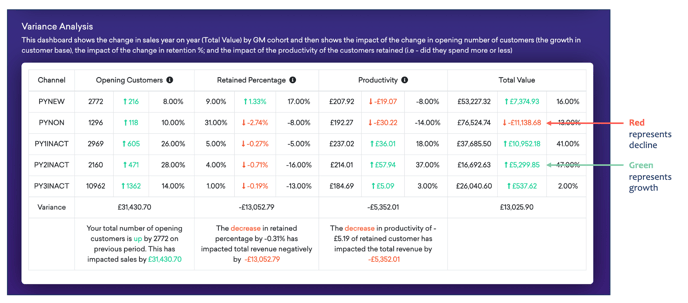
- Total value - change in sales year on year by Growth Model cohort
- Impact of; change in opening customers, changes in retained percentage and productivity of customers retained