- Help Center
- Sales
- Reports Explorer
Sales Performance Report
Below you'll observe how to access and review your Sales Performance Report...
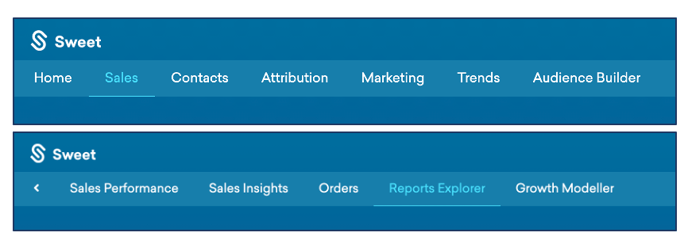
- At the top of the Homepage, you'll observe the navigation tabs
- Select Category: Sales
- Select Subcategory: Reports Explorer
- Within the Reports Explorer, select the Sales Performance Report

This Reports:
- Sales performance, including; total sales, discounts, shipping & returns.
- Simple breakdowns of sales performance over current, previous and comparable periods.
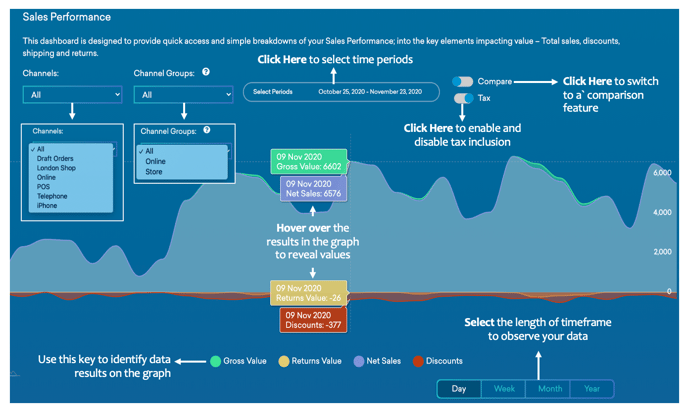
For more information on how to use the Sales Performance Dashboard (beyond this dashboard), please refer to the Sales Performance Dashboard Article.