- Help Center
- Sales
- Sales Insights
Sales Insights Dashboard
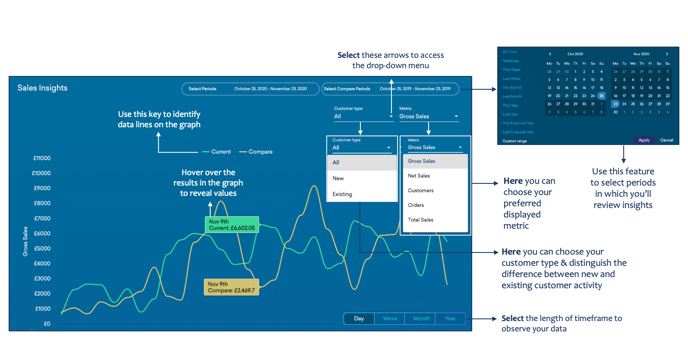
Below you'll observe how to access and review your Sales Insights Dashboard...
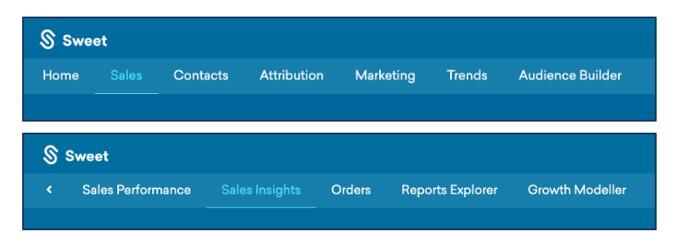
- At the top of the homepage, you'll observe the navigation tabs
- Select Category: Sales
- Select Subcategory: Sales Insights
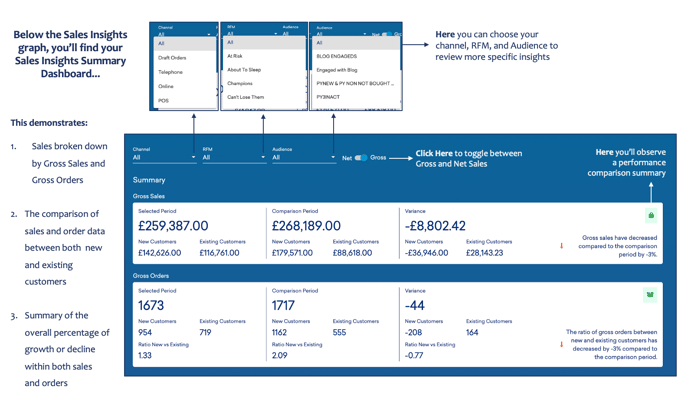
Below the Sales Insights graph, you’ll find your Sales Insights Summary Dashboard...
This demonstrates:
- Sales are broken down by Gross Sales and Gross Orders
- The comparison of sales and order data between both new and existing customers
- Summary of the overall percentage of growth or decline within both sales
and orders