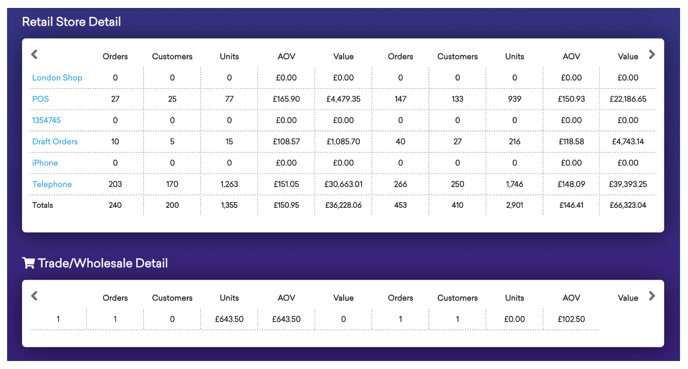
Below you'll observe how to access and review your Sales Channel Analysis Report...
- At the top of the Homepage, you'll observe the navigation tabs
- Select Category: Sales
- Select Subcategory: Reports Explorer
- Within the Reports Explorer, select the Sales Channel Analysis Report

This Reports:
- Which channels or physical stores are contributing to the global revenue numbers.
- A comparison of each store or online channel
- A breakdown by the type of orders; retail vs wholesale
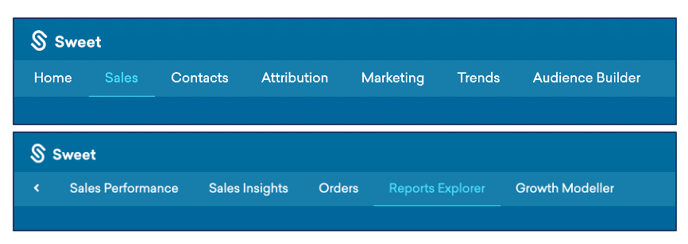
As you continue to scroll down your Sales Channel Analysis Report…
You’ll observe :
- Your Sales Type Breakdown graph – grouped by months or weeks
- Data segregated by types of sale, in correlation with the month/week the sale was made
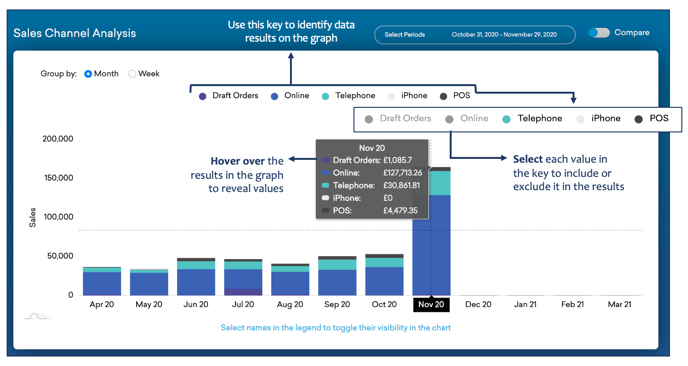
As you continue to scroll down your Sales Channel Analysis Report…
You’ll observe :
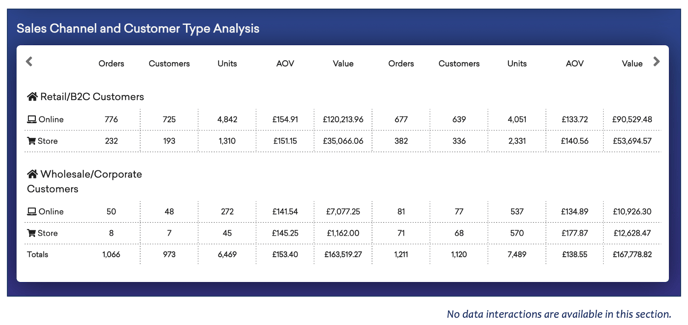
- Your Sales Channel and Customer Type Analysis – categorised by retail/B2C customers & wholesale/corporate customers.
- This data is further segregated by online sales and store sales, filtered into; orders, customers, units, average order value & total value.
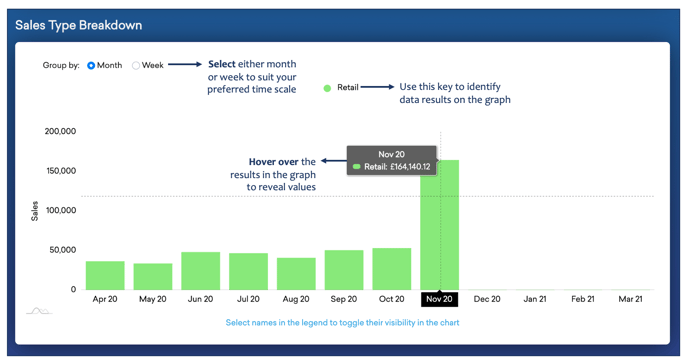
As you continue to scroll down your Sales Channel Analysis Report…
You’ll observe :
- Your Retail Store Detail & Trade/Wholesale Detail, providing a more in-depth insight into your sales channel analysis found above.
- This data is segregated by exact store names, filtered into; orders, customers, units, average order value & total value.