Below you'll observe how to access and review your Returns Report...
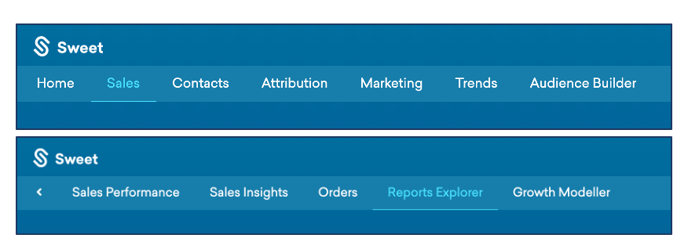
- At the top of the Homepage, you'll observe the navigation tabs
- Select Category: Sales
- Select Subcategory: Reports Explorer
- Within the Reports Explorer, select the Returns Report.

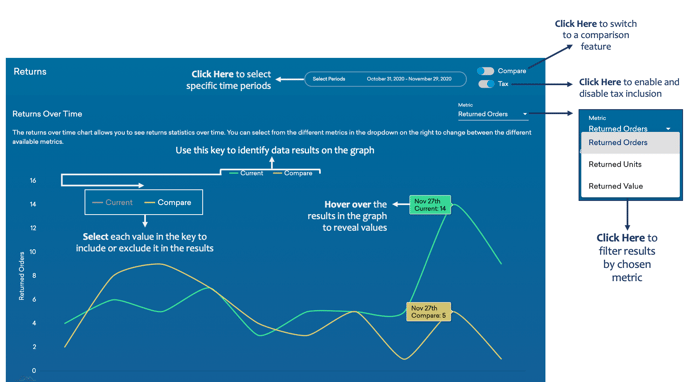
This reports:
- Analysis of the volume of refunds across different stores.
- Customer behaviour in relation to returns.
- A graph displaying your total returns over time, measured by; orders, units, or value.
As you continue to scroll down the Returns Report…
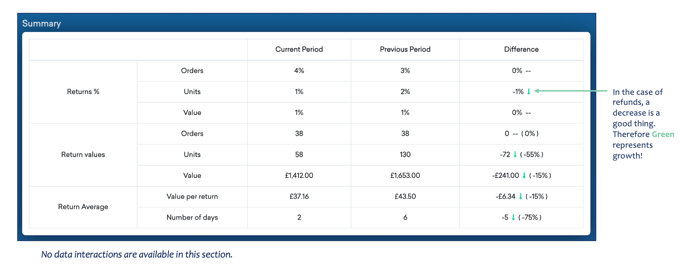
You’ll observe:
- Your returns summary, categorised by; the percentage of returns, the value of returns, and return average, during the current and previous periods and the difference between.
- These returns are measured in; orders, units, and value.
As you continue to scroll down the Returns Report…
You’ll observe:
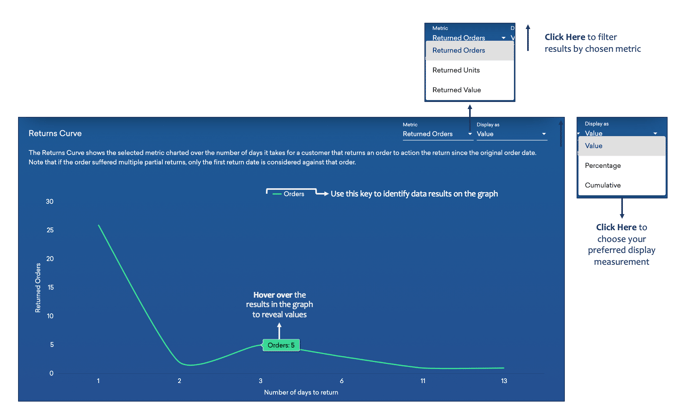
- Your returned orders, units or value, over the number of days it takes for a customer to action an order as a return, since their original order date.
As you continue to scroll down the Returns Report…
You’ll observe:
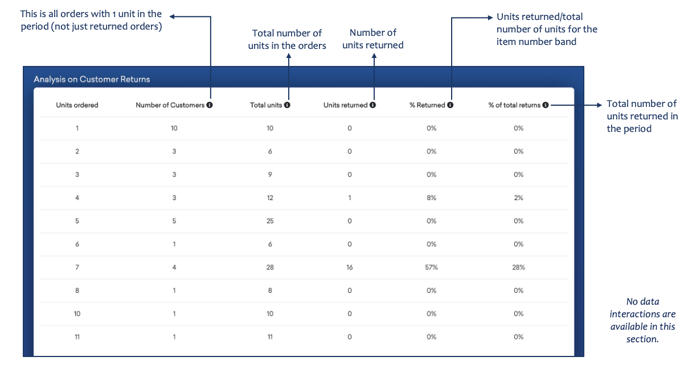
- Your analysis on customer returns, filtered by; units ordered, the number of customers, total units, units returned, percentage returned and percentage of total returns.
As you continue to scroll down your Returns Report…
You’ll observe:
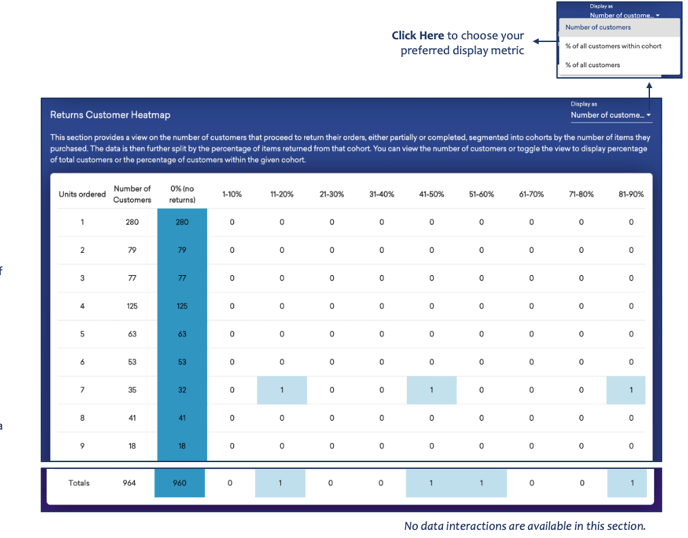
- A view on the number of customers that proceed to return their orders.
- Either partially or completely refunded orders, segmented into cohorts by the number of items purchased
- Data split by the percentage of items returned from its specific cohort
- The number of customers as a percentage within or without a cohort