- Help Center
- Contacts
- Customer Retention
Retention & Cohort Analysis Dashboard
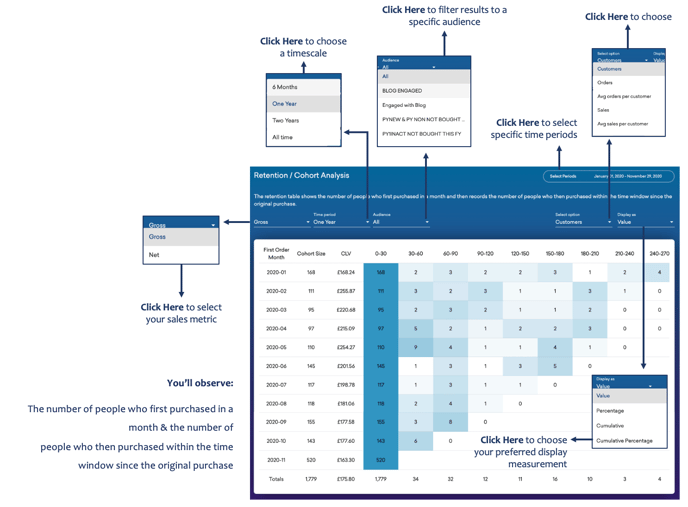
Below you'll observe how to access and review your Retention & Cohort Analysis Dashboard...
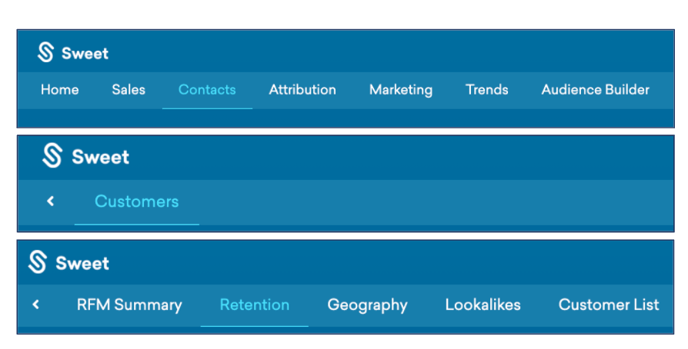
- At the top of the Homepage, you'll observe the navigation tabs
- Select Category: Contacts
- Select Subcategory: Customers
- Select Subcategory: Retention
You’ll observe:
- The number of people who first purchased in a month & the number of people who then purchased within the time window since the original purchase.