Below you'll observe how to access and review your Purchasing Customers by RFM Segment Dashboard...
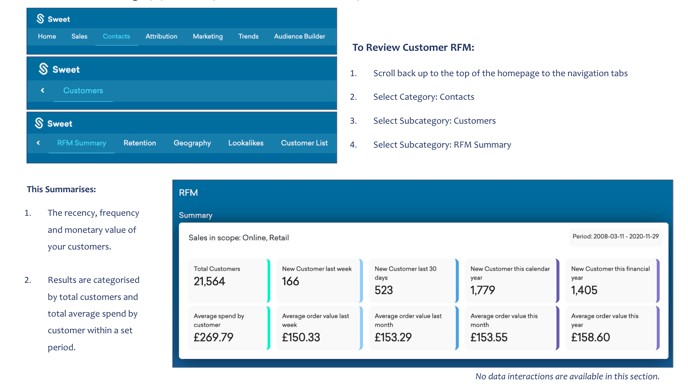
- At the top of the homepage, you'll observe the navigation tabs
- Select Category: Contacts
- Select Subcategory: Customers
- Select Subcategory: RFM Summary
- Scroll down to the Purchasing Customers by RFM Segment Dashboard
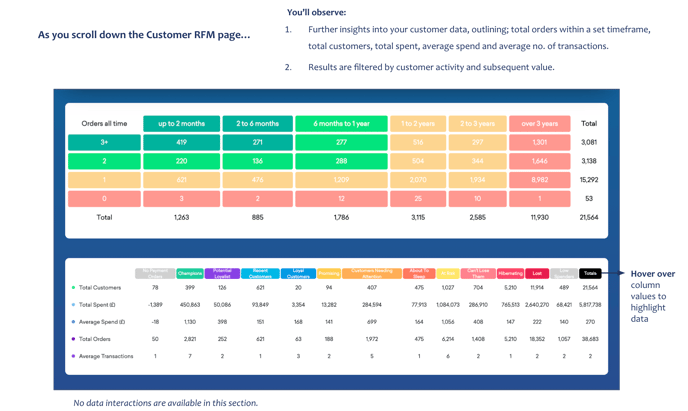
You’ll observe:
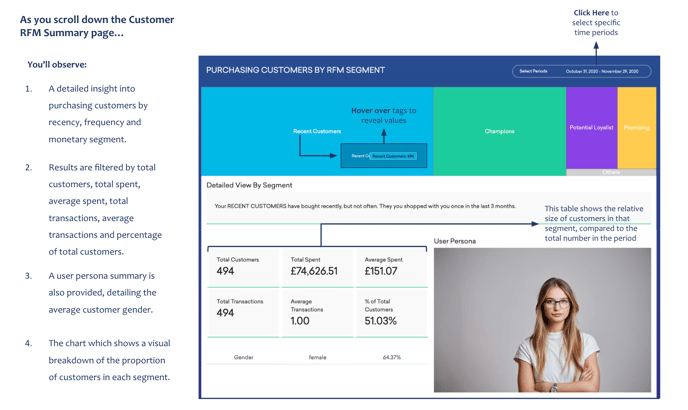
- A detailed insight into purchasing customers by recency, frequency and monetary segment.
- Results are filtered by total customers, total spent, average spent, total transactions, average transactions and percentage of total customers.
- A user persona summary is also provided, detailing the average customer gender.
- A chart that shows a visual breakdown of the proportion of customers in each segment.
Below the Purchasing Customer by RFM Segment Dashboard...
You’ll observe:
- A detailed list of each customer, including; their name, email, location, last purchase date, last purchase amount and total spent.
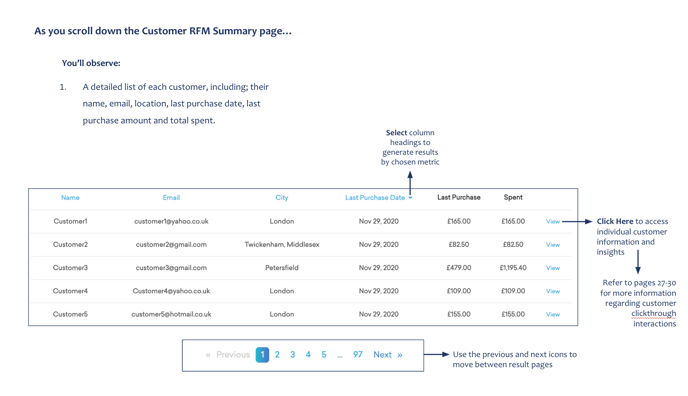
Refer to the Customer Clickthrough Article within Orders for more information regarding customer access and insights.