Below you'll observe how to access and review your Product Report...
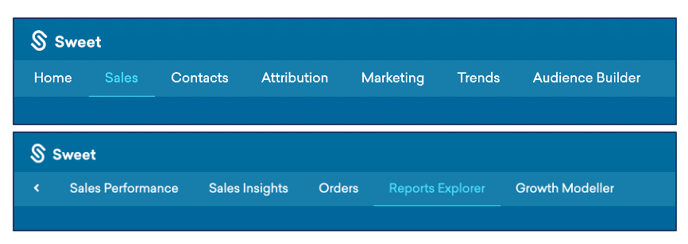
- At the top of the Homepage, you'll observe the navigation tabs
- Select Category: Sales
- Select Subcategory: Reports Explorer
- Within the Reports Explorer, select the Product Report

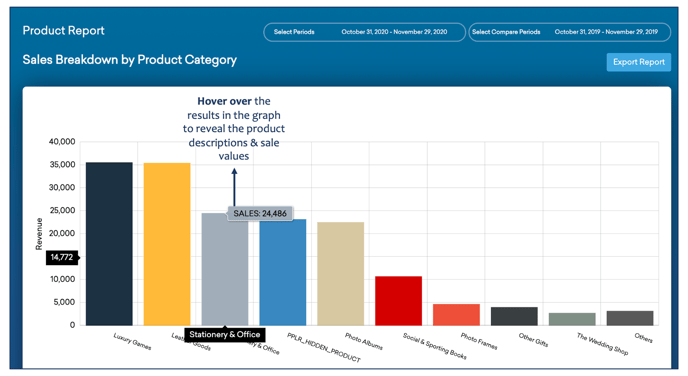
This reports:
- Sales breakdown by product category.
- The performance of your products – identify hero products, total revenue generated, and discounts used per product.
- Analysis on product categories and side-by-side product comparison.
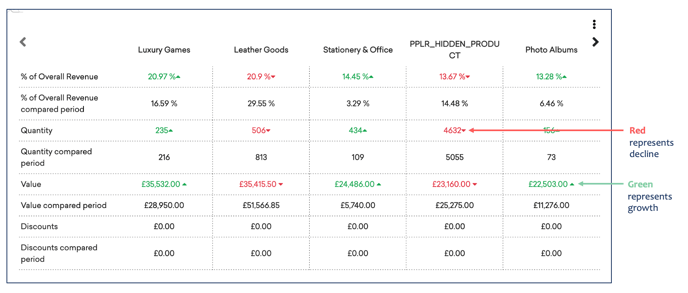
As you continue to scroll down the Product Report…
You’ll observe :
- A table outliving your percentage of total current revenue, total quantity, value and
discounts for each product produced. - The results of these metrics from the comparable period, per product.
As you continue to scroll down the Product Report…
You’ll be able to:
- Filter products by chosen category, orders, Value and Channels through the drop-down menus.

You’ll observe:
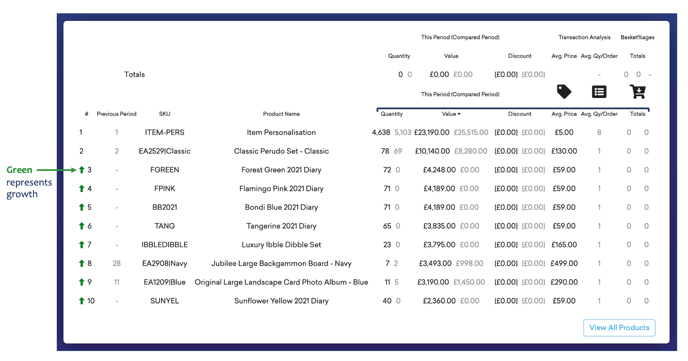
- Your total product report, categorised by; product name, ranking, quantity, value, discount, average price, average quantity per order and total.
- All results are generated for current and comparable periods.
As you continue to scroll down the Product Report…
You’ll observe:
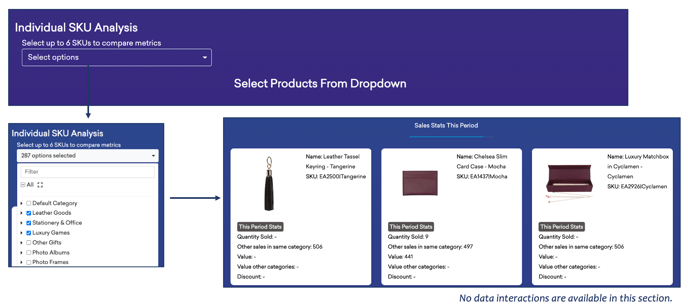
- Individual Stock-Keeping Unit Analysis, filtered by Product SKU, to compare metrics.
- The sales statistics, per product, for the current period.
As you continue to scroll down the Product Report…
You’ll observe:
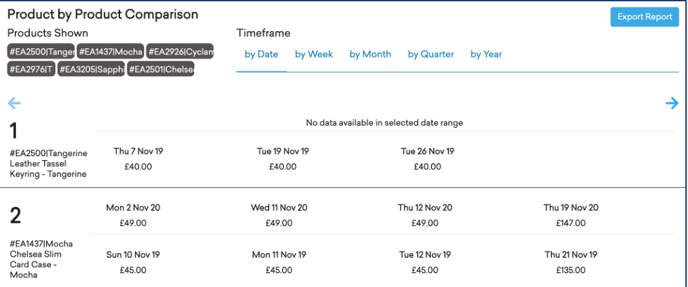
- A Product-by-Product Comparison, with selected SKUs displayed.
- A comparison by a specific date, week, month, quarter, or year.
- Sales statistics per product along the selected timeframe.