- Help Center
- Sales
- Orders
Orders Summary Dashboard
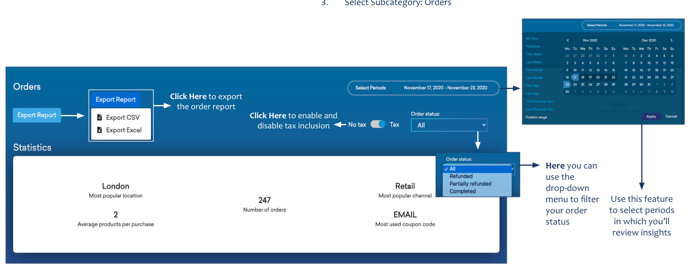
Below you'll observe how to access and review your Orders Dashboard...
- At the top of the homepage, you'll observe the navigation tabs
- Select Category: Sales
- Select Subcategory: Orders

This Provides...
- A summary of your Order Statistics over a select time period
- The most popular location, most popular channel, average number of products per purchase, total number of orders and most used coupon code, by completed, partially refunded, refunded or all orders.