- Help Center
- Audience Builder
- Live Sync Integration
Mailchimp Live Sync Integration Setup
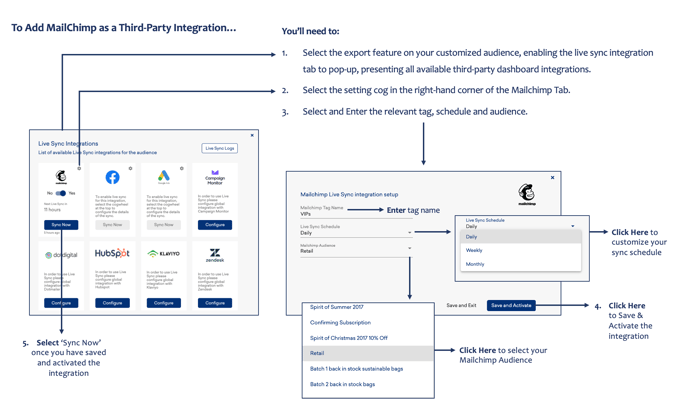
To Live Sync Audiences to Mailchimp…
You’ll need to:
- Select the export feature on your customized audience, enabling the live sync integration tab to pop-up, presenting all available third-party dashboard integrations.
- Select the setting cog in the right-hand corner of the Mailchimp Tab
- Select and Enter the relevant tag, schedule and audience.
- Save and activate the intergration
- Select 'sync now' once you have saved