- Help Center
- Audience Builder
- Live Sync Integration
Live Sync Logs
Below you'll observe how to access and review your Live Sync Logs…
- At the top of the Homepage, you'll observe the navigation tabs
- Select Category: Audience Builder
- Select the 'Live Sync Logs' Tab in the top right-hand corner of either the Audience Creator Wizard or the Audience Editor Wizard.
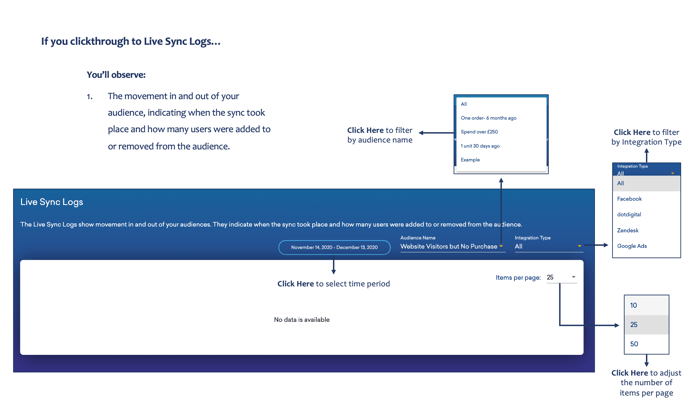
You’ll observe:
- The movement in and out of your audience, indicating when the sync took place and how many users were added to or removed from the audience.
For further guidance on Live Sync Audience Integrations, please click here.