- Help Center
- Contacts
- Customer Geography
Geographic Breakdown Dashboard
Below you'll observe how to access and review your Geographic Breakdown Dashboard...
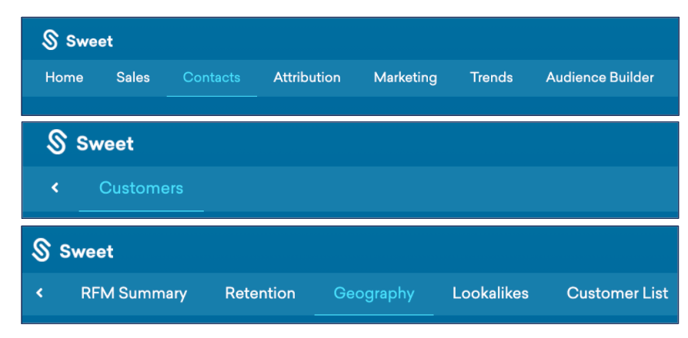
- At the top of the Homepage, you'll observe the navigation tabs
- Select Category: Contacts
- Select Subcategory: Customers
- Select Subcategory: Geography
You’ll observe:
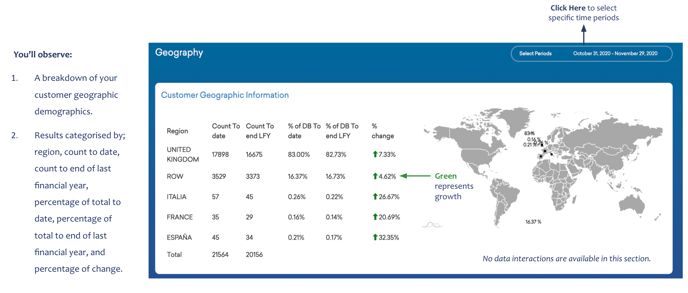
- A breakdown of your customer geographic demographics.
- Results categorised by; region, count to date, count to end of last financial year, percentage of total to date, percentage of total to end of last financial year, and percentage of change.