- Help Center
- Sales
- Sales Performance
Discount & Shipping Analysis Dashboard
Below you'll observe how to access and review your Discount & Shipping Analysis Dashboard...
- At the top of the Homepage, you'll observe the navigation tabs
- Select Category: Sales
- Select Subcategory: Sales Performance
- Scroll down to the Discount and Shipping Analysis Dashboard
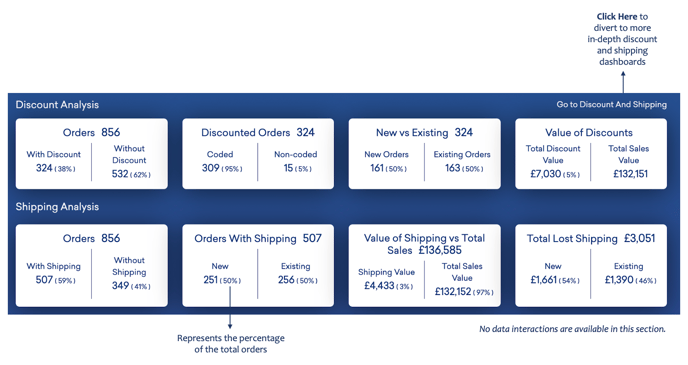
This presents:
- Orders with and without discounts applied, a periodic comparison and the value of the discounts
- Orders with and without shipping price applied, the value of shipping against sales, and the cost of shipping