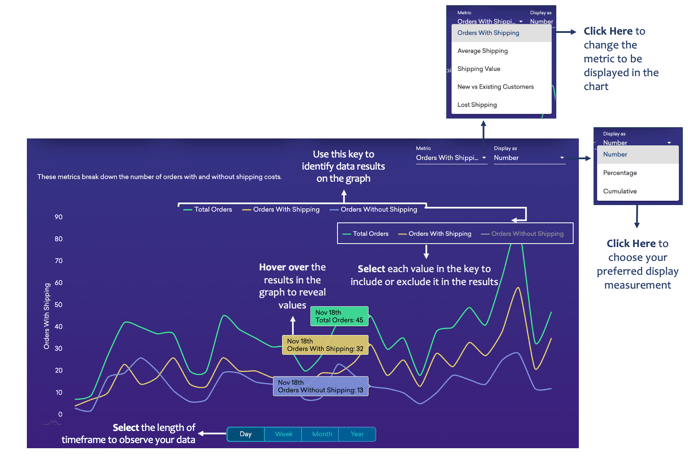
Below you'll observe how to access and review your Discount and Shipping Report...
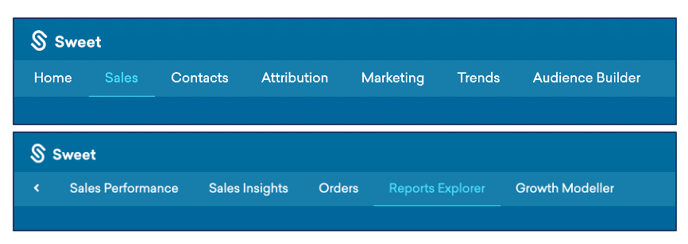
- At the top of the Homepage, you'll observe the navigation tabs
- Select Category: Sales
- Select Subcategory: Reports Explorer
- Within the Reports Explorer, select the Discount and Shipping Report.

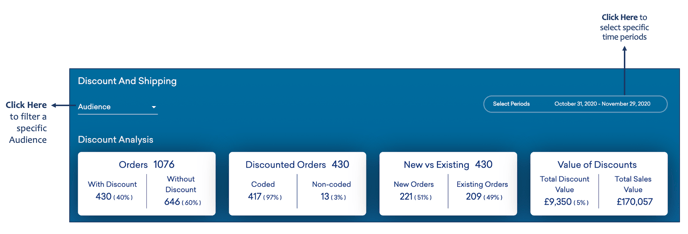
This reports:
- Insights into customer behaviour surrounding discounts and shipping costs.
- Changes in behaviour throughout different selected periods.
- Analysis of new vs existing orders, orders including shipping and discounts, the value of discounts, and the cost of shipping.
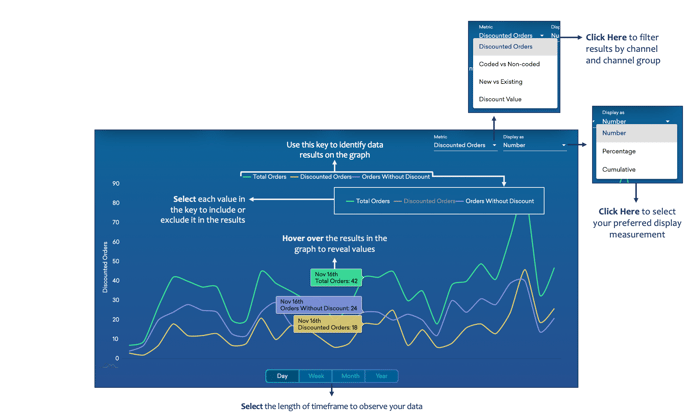
As you continue to scroll down the Discounts and Shipping Report…
You’ll observe:
- A line graph plotting your total discounted metrics against your total non-discounted metrics, with reference to your total sales.
- Results can be generated by discounted orders, coded vs. non-coded, new vs existing, and discount value.
As you continue to scroll down the Discounts and Shipping Report…
You’ll observe:
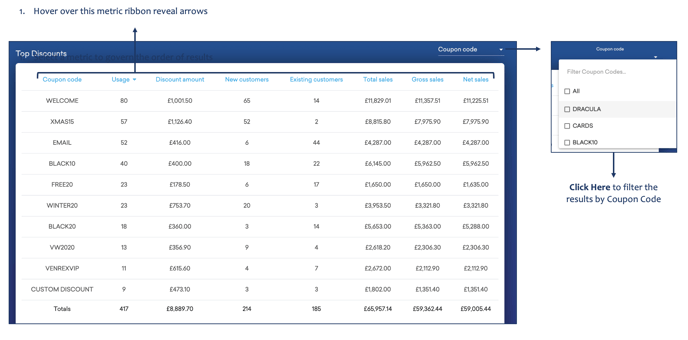
- Your Top Discounts, categorised by; coupon code, usage, discount amount, new vs existing customers, total sales, gross sales and net sales.
As you continue to scroll down the Discounts and Shipping Report…
You’ll observe:
- Your Shipping Analysis, including; total orders, orders with shipping, value of shipping vs total sales, cost of shipping.

- A line graph that breaks down the number of orders with and without shipping costs over a specific period.