- Help Center
- Sales
- Sales Performance
Customer Types Dashboard
Below you'll observe how to access and review your Customer Types Dashboard...
- At the top of the Homepage, you'll observe the navigation tabs
- Select Category: Sales
- Select Subcategory: Sales Performance
- Scroll down to the Customer Types Dashboard
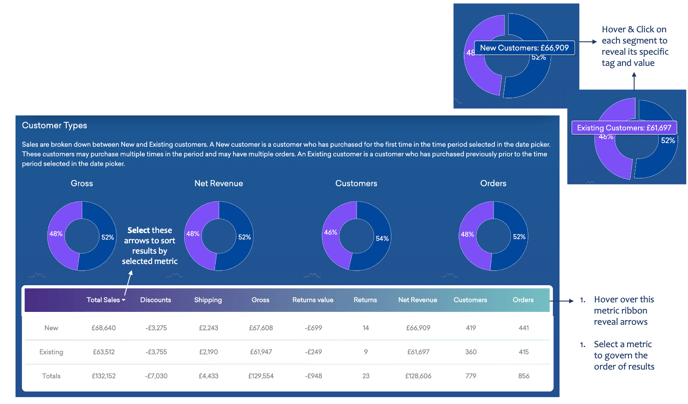
This dashboard presents:
- New Customers – first purchase processed in the selected period
- Existing Customers – purchase processed prior to the selected period
- The impact on sales of both new and existing customers