Below you'll observe how to access and review your Customer RFM Summary Dashboard...
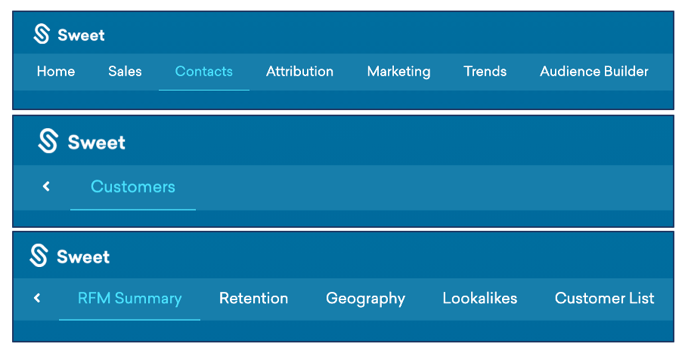
- At the top of the homepage, you'll observe the navigation tabs
- Select Category: Contacts
- Select Subcategory: Customers
- Select Subcategory: RFM Summary
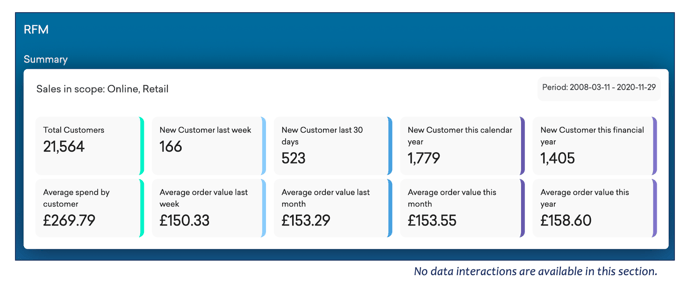
This Summarises:
- The recency, frequency and monetary value of your customers.
- Results are categorised by total customers and total average spend by a customer within a set period.
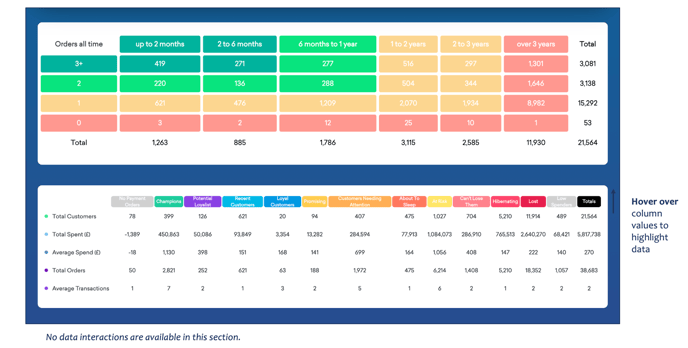
Below the Customer RFM Summary Dashboard…
You’ll observe:
- Further insights into your customer data, outlining; total orders within a set timeframe, total customers, total spent, average spend and average no. of transactions.
- Results are filtered by customer activity and subsequent value.