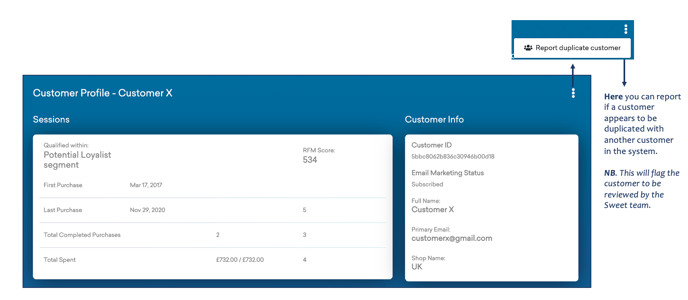
From the order list, you can select each customer name and access further customer information, insights, and history...

This Provides:
- A Customer Profile – outlining their RFM Score, Purchase History, Total Expenditure.
- Additional customer information, such as Customer ID, Name, Email, and Email Marketing Status.
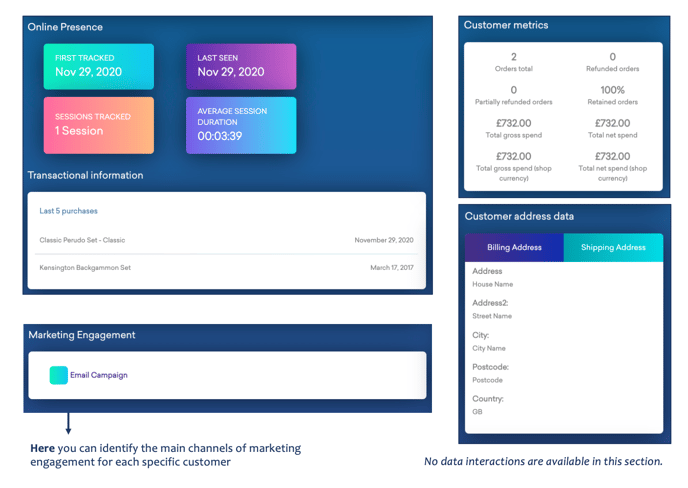
As you scroll down this personalized customer dashboard, you’ll find more specific insights...
Here you can identify:
- Online behaviour and presence, including; tracking data and transactional history.
- Specific customer metrics, such as; total orders, refunds, gross expenditure, and net expenditure.
- Customer demographic data, including both billing and shipping addresses.
Here you have the most in-depth data relevant to each customer, identifying…
Purchase History:
Includes; order date, value, status, discount & payment method.

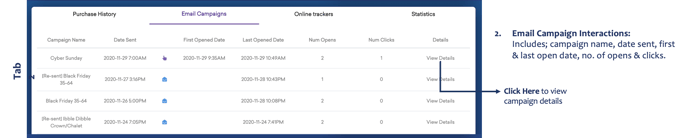
Email Campaign Interactions:
Includes; campaign name, date sent, first & last open date, no. of opens & clicks.
Online Tracking:
Includes; date tracked, source of the tracker, channel, time spent & customer journey.

Customer Channel Path Insights:
Includes; data outlining channel & outcome.

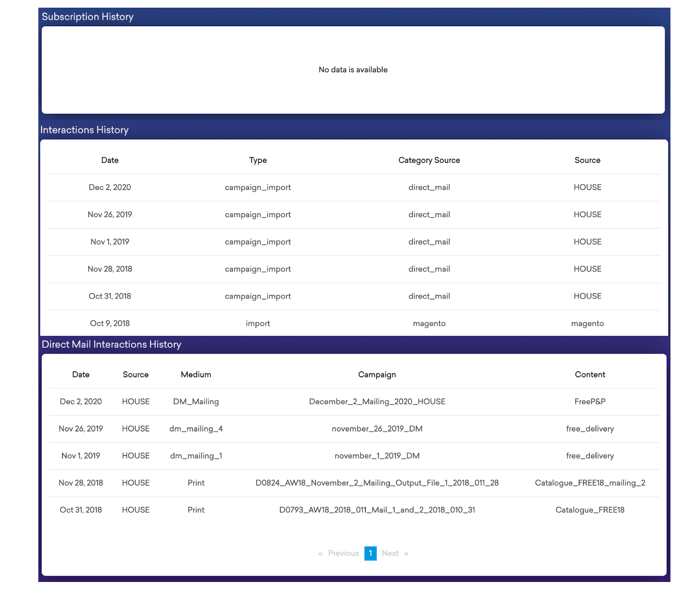
At the bottom of this customer insight clickthrough, you’ll find a personalized subscription, interaction and direct mail interaction history…
This identifies:
- Customer Subscription History
- Customer Interactions History, including; date of interaction, type of interaction and source of interaction
- Customer Direct Mail Interactions History, including; date of DM interaction, source of DM interaction, the medium of DM interaction, Campaign name and content