- Help Center
- Audience Builder
Audience Builder
Below you'll observe how to access and review your Audience Builder Dashboard...
- At the top of the Homepage, you'll observe the navigation tabs
- Select Category: Audience Builder

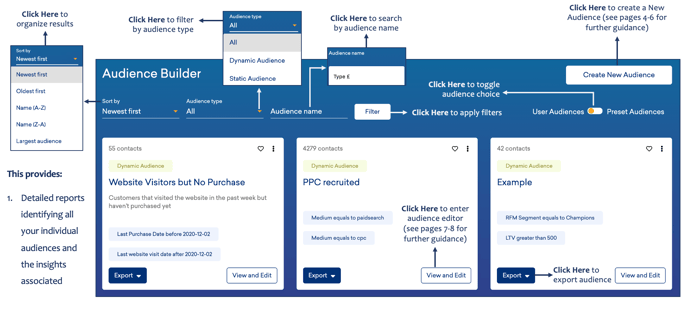
This dashboard offers:
-
Detailed reports identifying all your individual audiences and the insights associated
As you scroll down your Audience Builder…
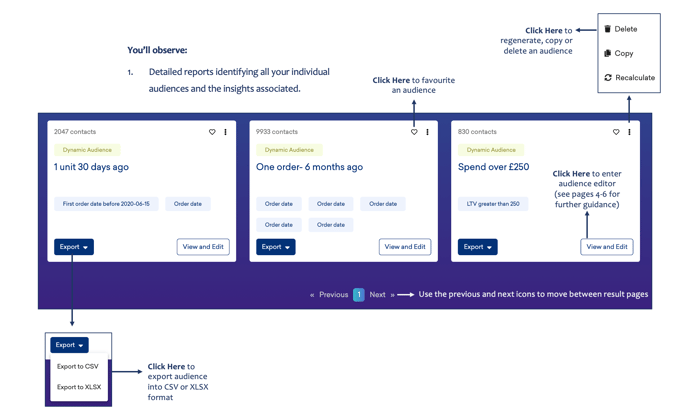
You’ll observe:
- Detailed reports identifying all your individual audiences and the insights associated.
For guidance on how to create an audience, please click here.
For guidance on how to edit an audience, please click here.