- Help Center
- Reports
- Admin Reports
Accessing Admin Reports
Within settings, you’ll find your Admin Reports…
To Review Admin Reports:
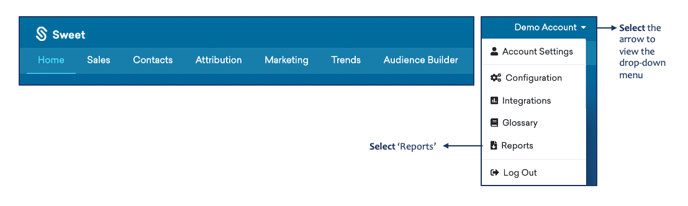
- Scroll back up to the top of the homepage and select the arrow beside your account name
- Select Reports from the drop-down menu
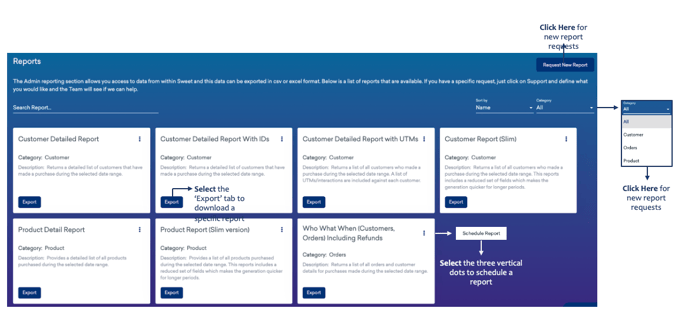
This provides:
- A place to access and download all data within Sweet, organized by product, customer and order, in either excel or CSV format.
- The ability to schedule a report and/or request a new report.